Full Description
View Full Description
The best of both worlds
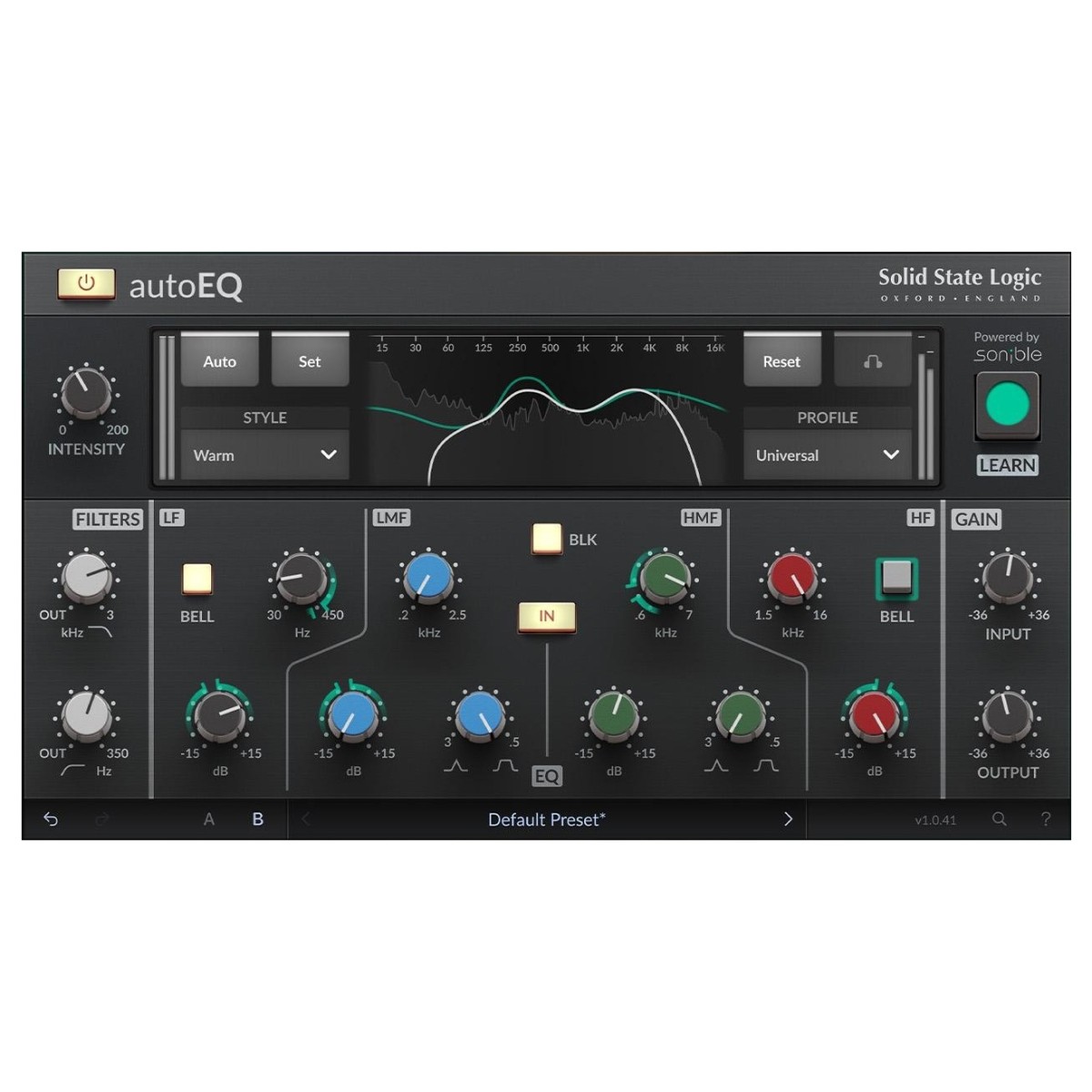
Merging the industry-leading automated AI parameter adjusting of Sonible with the legendary tone of SSL hardware, autoEQ adapts your EQ intelligently, delivering console-grade tone across any channel in your mixer. Whether working with individual channels like kick microphones, vocals, bass or more, autoEQ intelligently adapts to your input signal, letting you shape the EQ curve to deliver a musical result. Featuring multiple onboard styles from Neutral, Warm and Bright, Intensity controls and multiple instrument-specific profiles, you can achieve fast, creative and musical results all with the authentic sound of an SSL 4000E channel strip, without the guesswork!
Unmistakable SSL sound
At the core of autoEQ is the sound. Derived from the legendary SSL 4000E Channel Strip, autoEQ delivers console accurate EQ curves, full of analog character and grit to a realistic 3D sound. Adding low-end adds thump and weight while the high frequencies offer sparkling top-end that’s never harsh or bland like digital EQs.
Intelligent audio analysis
Powering sonible’s AI algorithm is the automatic audio analysis setting. This intelligent tool listens to the incoming audio and suggests EQ moves that are musical and work with your song, without the need for tweaking! Of course, you have full control over the parameters to tailor each specific frequency band to meet the needs of your track or channel in your mixer to fine-tune it just the way you want.
Instrument profile-based processing
For more detailed and responsive processing, the Sonible learn function comes with multiple genre and instrument-specific profiles. These profiles will tailor sonible’s learn function to provide automated processing that’s more responsive to the incoming audio. This means you will be able to set up your EQ faster and with more musicality than leaving it on the default mode.
Visual mix-assistance for on-the-go learning
Unlike traditional hardware-modelled EQs, autoEQ includes visual representation of your frequency bands with an onboard frequency graph, perfect for beginners to help understand how the adjustments are effecting your signal, or for professionals to quickly see if the changes meet the required EQ curve you’re looking to achieve with autoEQ.
Specifications
- Operating system:
- Mac: macOS 13 Ventura and later (64-bit only) (Silicon supported)
- Windows: Windows 10 - Windows 11 (64-bit only)
- Format:
- Mac: AU, VST2, VST3, AAX Native
- Windows: VST 2, VST3, AAX Native
- Activation: iLok
- Product code: 1331-1123